
How to Search Civil Dockets
The public online route is the eCourts Portal. Open Smart Search first. A full case number is the fastest way in. When all you have is a party or business name, apply the advanced filters and pick Cleveland. Then trim the statewide results by case type, status, or filing-date range.
Remember what the Portal is. It is a case-access tool, not the clerk’s certified file. Once a matching Case Summary opens, read the county, number, case type, and status. Do that before trusting any event you see there. Need an actual filed document, a signed order, or something certified? Identify the case, then ask the Cleveland Clerk of Superior Court for the official record.
- Open Smart Search and enter the complete case number when it is available.
- For a name or business search, select Cleveland under the location filter.
- Choose Civil Actions for an ordinary civil action, or use a published separate category when appropriate.
- Review the county, case number, parties, and status before opening a Case Summary.
- Use the clerk for a public pleading, signed order, certified copy, or an unavailable public file.
Cleveland County Civil Actions Search
Civil Actions is one published search category in the Portal. It is not a blanket label for everything civil. Cleveland searchers should choose Civil Actions for an ordinary civil case. Then look at the separately named Estates or nonconfidential Special Proceedings categories when the record type calls for them. Keeping the search matched to the Portal’s real controls saves wasted effort.
The Portal also offers a Cleveland location filter, a case-status field, and a filing-date range. Those tools narrow things down. They cannot prove a claim is valid. They cannot confirm a party name points to the right case, or promise every document is online. Always confirm the case number and county before reading the Case Summary.
| Published category | When to use it | Important boundary |
|---|---|---|
| Civil Actions | Ordinary civil-action search. | It is a search category, not a decision. |
| Estates | Estate record when that is the known case type. | Do not assume it appears as Civil Actions. |
| Special Proceedings | Nonconfidential special proceeding. | The label itself signals an access boundary. |
| Location | Select Cleveland to narrow results. | A city name alone does not control docket custody. |
Cleveland County Civil Search Filters
A civil name search can sweep the whole state, especially with common names or shared business names. Cleveland County runs on eCourts. It has no separate county-built civil docket database. The practical route is a statewide Smart Search narrowed to Cleveland, using the exact case number when you have it and the filing-date, status, and case-type controls when you do not.
The published wildcard rules are tight. Portal guidance allows an asterisk only after the stated minimum characters for a case number, a last name plus a first-name character, or a business name. A focused Cleveland filter usually beats a broad wildcard. Registration unlocks My Cases, but it never opens sealed or confidential records to a public user.
A no-match screen is not a final answer. It can stem from a filter, a spelling slip, a number format, processing, a restriction, or simply no record.
What a Civil Docket Shows
For Cleveland civil cases, the Portal labels its public docket view a Case Summary. Its published field inventory covers case information, assignment information, party information, causes of action, Case Events, dispositions, hearings, and financial information where available. The docket shows recorded court activity. It does not automatically display the text of every pleading. Nor does it settle the legal meaning of an allegation.
Read the entries in order. A party name or cause of action states what the record identifies. It does not say what a court has found. A hearing is a scheduled proceeding, not a result. A disposition, when shown, is a recorded resolution field. For the public signed order or filing behind an entry, turn to the clerk’s file. Do that when the item is available.
| Case information | Basic identifiers, location, status, and other visible case data. |
|---|---|
| Parties and causes | Identifies participants and claims, not a finding on the merits. |
| Case Events | Recorded procedural activity that should be read chronologically. |
| Hearings | Visible scheduled settings that may change through court action. |
| Dispositions | Recorded outcome field where the public view makes it available. |
Cleveland County Civil Clerk File
A Case Summary and a signed order do different jobs. Portal can display a visible event, an index, or a document link. That depends on what the record supports. The official county case file stays with the clerk. Anyone needing an actual public pleading, order, certification, transcript route, or record inspection should bring the Cleveland case number. Request that specific item rather than a broad compilation.
The Judicial Branch’s court-records guidance points users to Portal, clerk terminals, files, copies, certification, court reporters, and audio processes as appropriate. This prevents a common mistake. A document missing online may simply not be uploaded or available through Portal. That does not mean it is missing from the official file.
Cleveland Clerk of Superior Court
100 Justice Place
Shelby, NC 28150
704-476-7800
Note: A Portal document link can help, but certification and public-record availability questions still belong with the Cleveland clerk file.
Types of Civil Cases on the Docket
Cleveland’s unified trial-court system handles several civil record paths. The division depends on the matter and its governing jurisdiction. District Court holds civil jurisdiction within the scope set by statute. Superior Court takes civil matters allocated beyond that jurisdiction, along with other Superior Court proceedings. Magistrates handle statutorily assigned small claims and related preliminary functions.
The Portal category is not a substitute for court jurisdiction. Rely on the actual case number, court heading, or official record description when available. A civil dispute tied to Shelby, Boiling Springs, Belwood, or Kingstown still runs through the county Clerk and Portal pathway. It does not go to a separate city civil-court database.
| Court path | Civil role in the research | Public docket route |
|---|---|---|
| District Court | Civil matters within statutory District Court jurisdiction. | Portal plus the Cleveland clerk file. |
| Superior Court | Civil matters assigned beyond District Court jurisdiction and other proceedings. | Portal, calendar, and the Cleveland clerk file. |
| Magistrate | Statutory small claims and related functions. | Same unified clerk record pathway. |
Cleveland County Civil Court Paths
Figuring out which civil track a case belongs to starts with the statute. The General Assembly sets out the District Court's civil jurisdiction in G.S. 7A-243. That statute draws the line between the District and Superior civil tracks. It does not, however, tell you where any single case sits. Finding it in a search result is not enough.
So how do you confirm the right Cleveland County civil path? Check the case caption first. Then the case number, the court heading, and the clerk record all confirm which division holds the docket. Those identifiers beat guesswork every time.
One more wrinkle matters for a docket search. Cleveland and Lincoln counties share District 39 for local administration. Even so, Cleveland's trial-court records stay with the Cleveland Clerk of Superior Court. Filter your case lookup by the county itself. A town name or street address is no substitute. Verify the filing county and the court division.
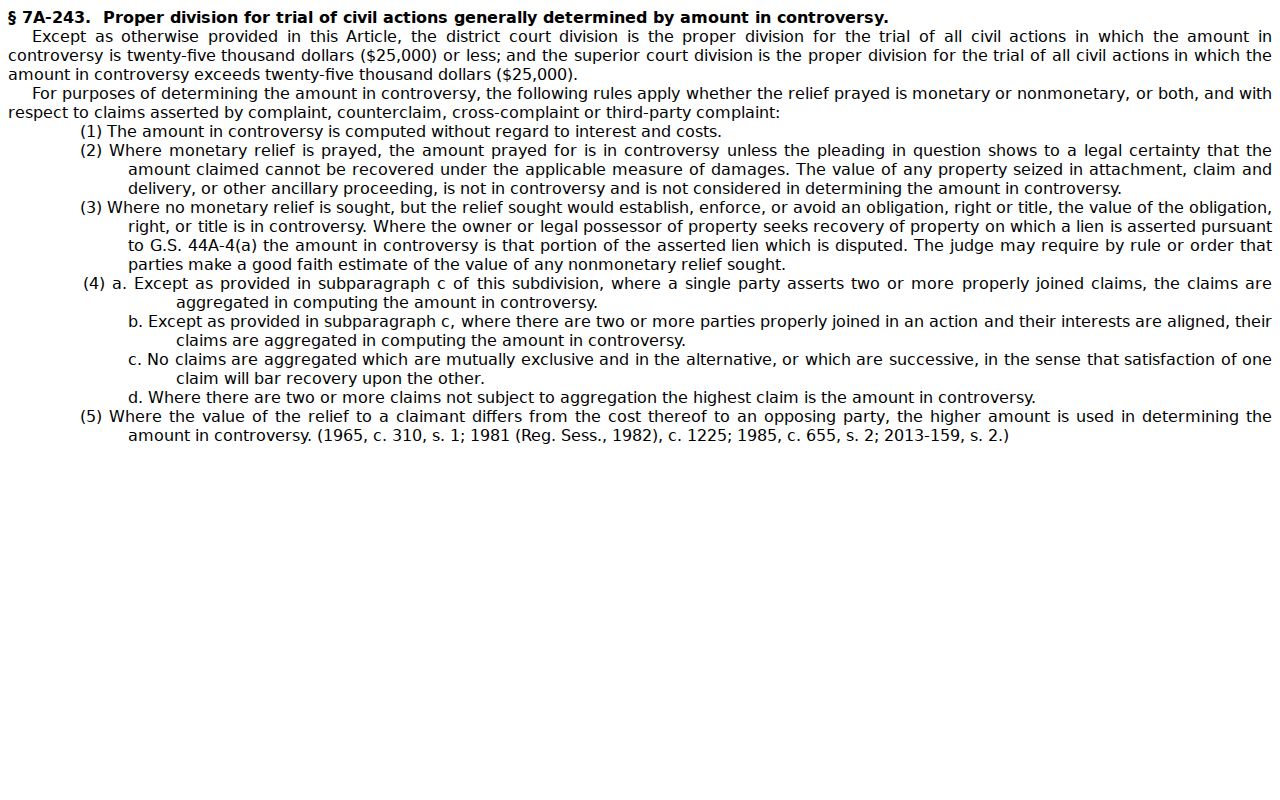
The statute frames the jurisdiction. In practice, Portal and the clerk are the working routes to a public Cleveland County civil record.
Settings and Hearings on Civil Dockets
A civil Case Summary in Portal may list a hearing. The Cleveland civil calendar goes further, publishing schedule documents sorted by court and start date. Each entry can show the division, session date and time, courtroom, case number, days from filing, party and attorney columns, and an event label. Treat it as an expected schedule only. It is not a record of what actually happened.
When a setting is close, read the court heading, date, time, courtroom, number, and event label as one picture. Then confirm any change with the clerk or the court's current instruction. For the fuller date-search process, see the Cleveland County court calendar page.
Cleveland County Civil Calendar Codes
Cleveland civil calendar files carry short event labels that name the kind of setting scheduled. Common ones include JT for Jury Trial. BT stands for Bench Trial, and OTHRH means Other Hearing. You may also see JDRV for Judicial Review and STAT for Status Review. MHDJ is Motion Hearing-Default Judgment, MHD is Motion Hearing-Dismiss, MTN is Motion Hearing, and MHC is Motion Hearing-Compel.
These labels describe settings, not outcomes. JT means the calendar expects a jury trial, not that a verdict came in. STAT marks a status review, not a ruling on the claims. Motion labels tell you nothing about the papers filed or how the court ruled. So the Case Summary and the clerk file may still hold the public record behind the setting.
- JT
- Jury Trial setting on the Cleveland civil calendar.
- BT
- Bench Trial setting on the Cleveland civil calendar.
- STAT
- Status Review setting, rather than a disposition code.
Note: Cleveland civil calendar codes describe the court's scheduled work. They are not final findings or entered orders.
Cleveland County Civil Calendar Coordination
District 39 runs a shared Trial Court Administrator office. It coordinates Superior civil trial settings and motion calendaring for Cleveland and Lincoln counties. That shared structure explains why a civil calendar carries detailed session and motion labels. It does not take over the Clerk of Superior Court's job. That clerk still holds the Cleveland case file.
The current local-rule material is dated March 24, 2026. It points users to Portal Case Events for an administrative record of active rules, forms, policies, and orders. Older local civil-rule PDFs can add historical context. But a current setting belongs with the active court source, the calendar, or the clerk, not an aging document.
Cleveland County Civil Calendar Updates
The same civil setting can show up in Portal and on the Cleveland calendar. Each serves a different purpose. Portal's Case Summary and Search Hearings organize case and hearing information. The calendar publishes a session schedule. Settings move, though. A continuance, a reset, or a later order can shift a date, so a calendar entry is not a promise that the event occurs exactly as first listed.
As the date nears, compare the court heading, session date, courtroom, case number, and event label across both sources. Confirm through the clerk or current court instruction. The calendar coordinator's scheduling role helps explain the process. But the clerk holds the official Cleveland file and any public order that changes a setting.
Calendar rule: Treat a Cleveland civil calendar as a current schedule document and confirm a close-in change through the clerk or the court’s latest instruction.
Public Access to Civil Dockets
Public access to Cleveland civil dockets rests on G.S. 7A-109 and, where it applies, the North Carolina Public Records Law, Chapter 132. The clerk keeps the records, files, dockets, and indexes. The office opens them for inspection during normal office hours unless a law restricts access. Portal adds an online public layer. Still, not every document is downloadable or public.
Sealed and confidential records stay closed to public Portal users. A missing document may reflect processing, or a record kept only in the clerk's file. Read claims, captions, and party names as record fields, not conclusions. Ask the clerk for the specific public record you need. Let the office locate and provide it.
Public-record boundary: G.S. 132-6.2 addresses copy media, actual reproduction cost, certification, and special-service charges.
NCAOC’s public-record request form is for existing NCAOC administrative records, not Cleveland case documents.
Note: A Cleveland civil docket may be public while a single document, a protected item, or a sealed part of the same case stays unavailable.
Cleveland County Civil Copy Limits
The Cleveland clerk posts no separate civil docket or certified-copy price. Before requesting a large or certified set, ask the office directly. Ask about availability, certification, turnaround, payment method, and the current local charge. The statewide NCAOC agency-copy practice is not the Cleveland clerk's fee schedule. Do not quote it as one.
On the record-relief side, G.S. 15A-145.4 shows one statutory expunction route on the legislative site. It is not a general civil-record access rule. The takeaway for a civil docket search is narrow. Access and record-relief rules turn on the case, and a public search result cannot prove that every related record is available.
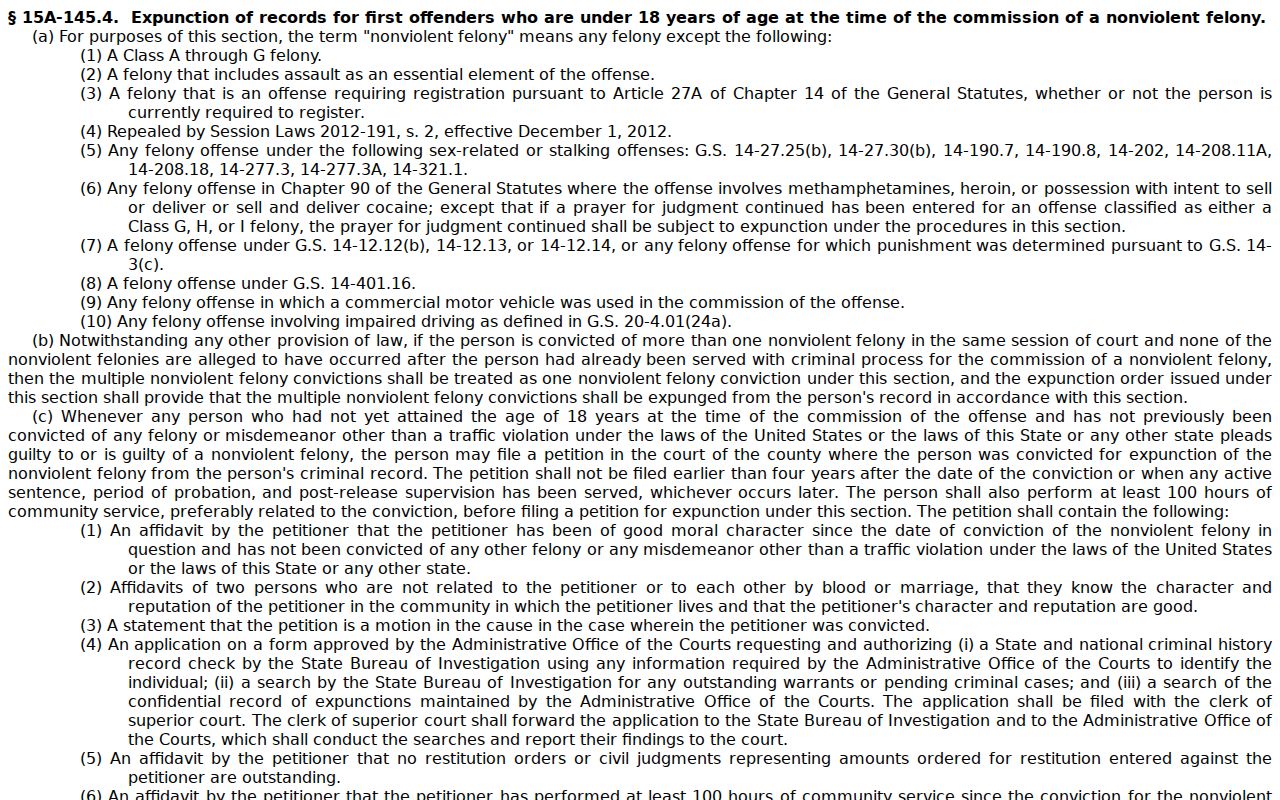
Check the exact fee and document rules with the clerk before you order a Cleveland County civil record. Every court sets its own charges, so borrowing a cost from some other court process will only mislead you.